
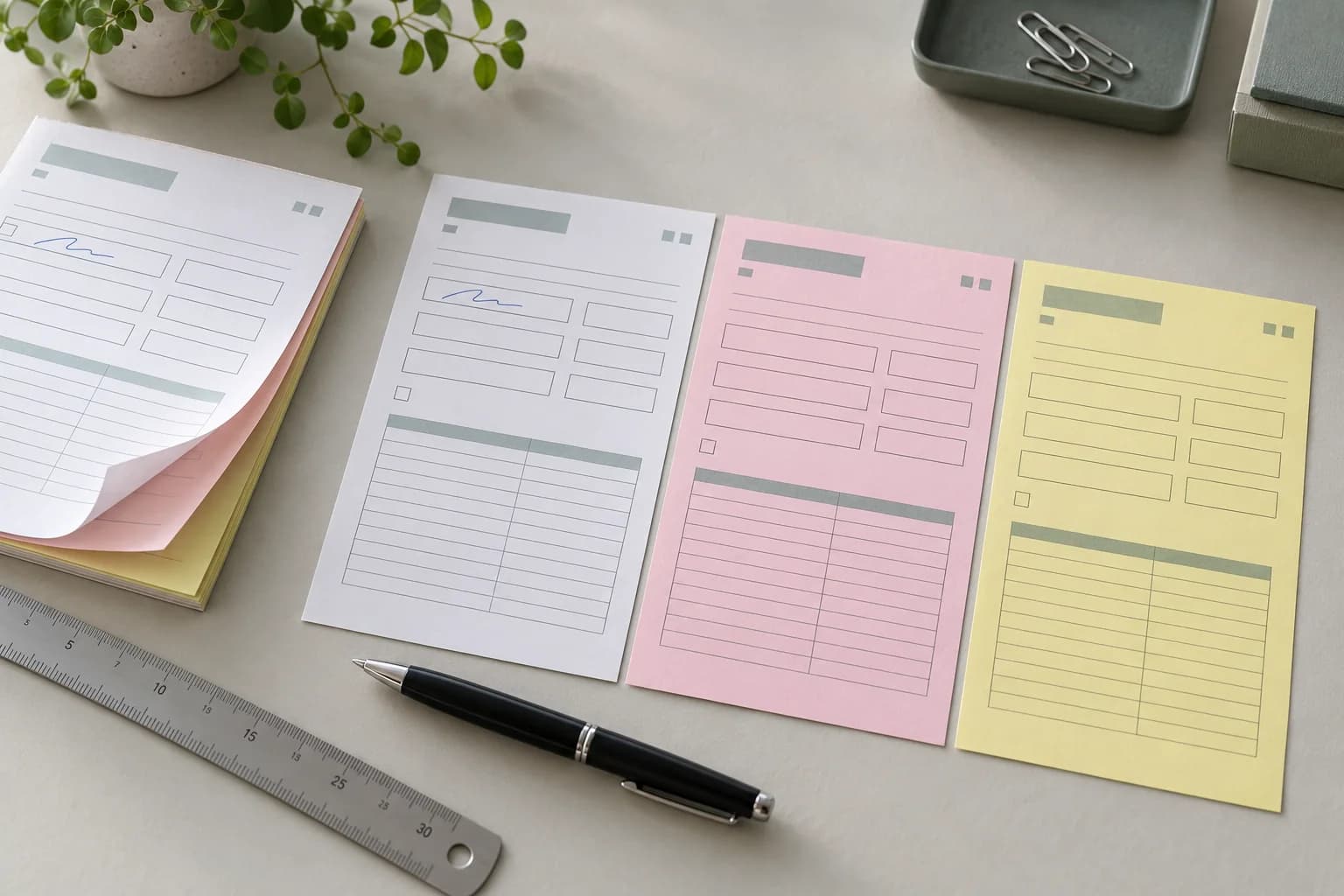
One entry should reach the intended field on every part
For a form made from NCR paper, check where a written entry lands on every receiving part before approving the artwork. A signature that reproduces clearly is still a problem if it crosses a label, falls outside its box or ends up in a field meant for a different purpose. Treat field correspondence as a separate decision from the number and order of sheets.
Start with a simple use case: an operator records a quantity, a reference and a signature on the top sheet. Identify where each entry belongs on the copies issued to the other departments. The practical approval question is whether those entries remain understandable on each part after the form is printed, assembled and used.
YOUNGSUN supplies industrial NCR carbonless base paper in jumbo rolls or large sheets for downstream converting. The paper specification and the finished form's artwork are different records. Confirm which party supplies the material and which printer or converter is responsible for the completed form.
Make a part-by-part field map
Before sending files, list the purpose of each part and give every artwork version an unambiguous identity. Where the printed content is identical, record that explicitly. If a printer accepts different content on different parts, identify the differences and obtain that printer's file instructions rather than assuming a shared file will cover them.
Build a small field map for the entries that matter to the transaction. For each one, record its name on the top sheet, intended receiving location, and any wording that changes between parts. Review quantity boxes, dates, reference numbers, totals and signature areas against the actual workflow. A copy for internal processing may need a different explanation from the copy handed to a customer.
This map is an editorial purchasing aid, not a registration standard. It gives the buyer and converter a common list of positions to check; it does not establish a universal dimensional tolerance.
Put the layout inside the converter's template
Ask the selected printer for the current template for the exact form size and finishing route. Tradeprint's NCR design guidance shows why templates matter: its process has non-printable areas, and it requests both a template-overlay file and clean artwork. Those are that provider's instructions, not universal NCR dimensions.
Use the applicable template to review fields beside the binding edge, planned holes and any specified tear-off section. Ask the converter to identify the zones it needs clear. Keep the record tied to the actual layout and finishing proposal rather than importing another printer's margin or hole clearance.
Separate artwork review from a working sample
A PDF review can catch the wrong field label, missing box or reversed orientation. Bellia's own NCR proof instructions ask customers to review placement, sizing, orientation, fields and numbering. Its proof service is an example of a printer's workflow, not a service commitment from YOUNGSUN.
For the buying decision, agree with your converter what still needs a physical sample. Use the proposed printed and assembled construction to rehearse the intended entries. Separate the parts and inspect each one against the field map. If the job has a removable section or filing holes, include the relevant finished condition in the review.
Record the sample identity, artwork version and operations represented. A substitute paper or unfinished sample may help an early discussion, but identify the limitations before extending its approval to production.
Describe the defect before changing the paper
Distinguish a misplaced entry from a weak transferred image. If the entry is clear but sits in the wrong box, compare field coordinates, part-specific artwork, trimming and assembly with the approved reference. If its position is correct but it is difficult to read, ask the responsible suppliers to investigate the actual construction and use conditions.
Do not assume a heavier sheet corrects a layout error. For sheet roles and final-use sequence, use the separate CB, CFB and CF ordering guide. This article does not set a writing-pressure threshold, maximum number of readable copies or guaranteed print registration.
Keep the approval with the order
Retain the approved files, field map and identified complete sample together. Record the agreed acceptance reference and who approved it. A change to part-specific wording, form size, field positions or finishing should reopen the affected checks.
Send material grade requirements, supply format, dimensions, quantity and destination to the paper supplier. Send the artwork and finished-form requirements to the responsible converter. Explore the printing paper range or share your material enquiry, with the supply and converting stages stated separately.
Buyer questions
Does readable copying prove the form layout is correct?
No. Check that each entry appears in the intended field on every receiving part, as well as whether it is readable. Keep layout and transfer-quality observations separate.
Can I use another printer's NCR template?
Ask the selected converter for its current template and finishing instructions. Another provider's non-printable zones and clearances do not automatically apply to your process.
Does a paper quotation include finished printed forms?
Do not assume it does. YOUNGSUN's NCR product is industrial base material in jumbo rolls or large sheets. Confirm printing, cutting, collation and finished-form supply separately with the responsible parties.