
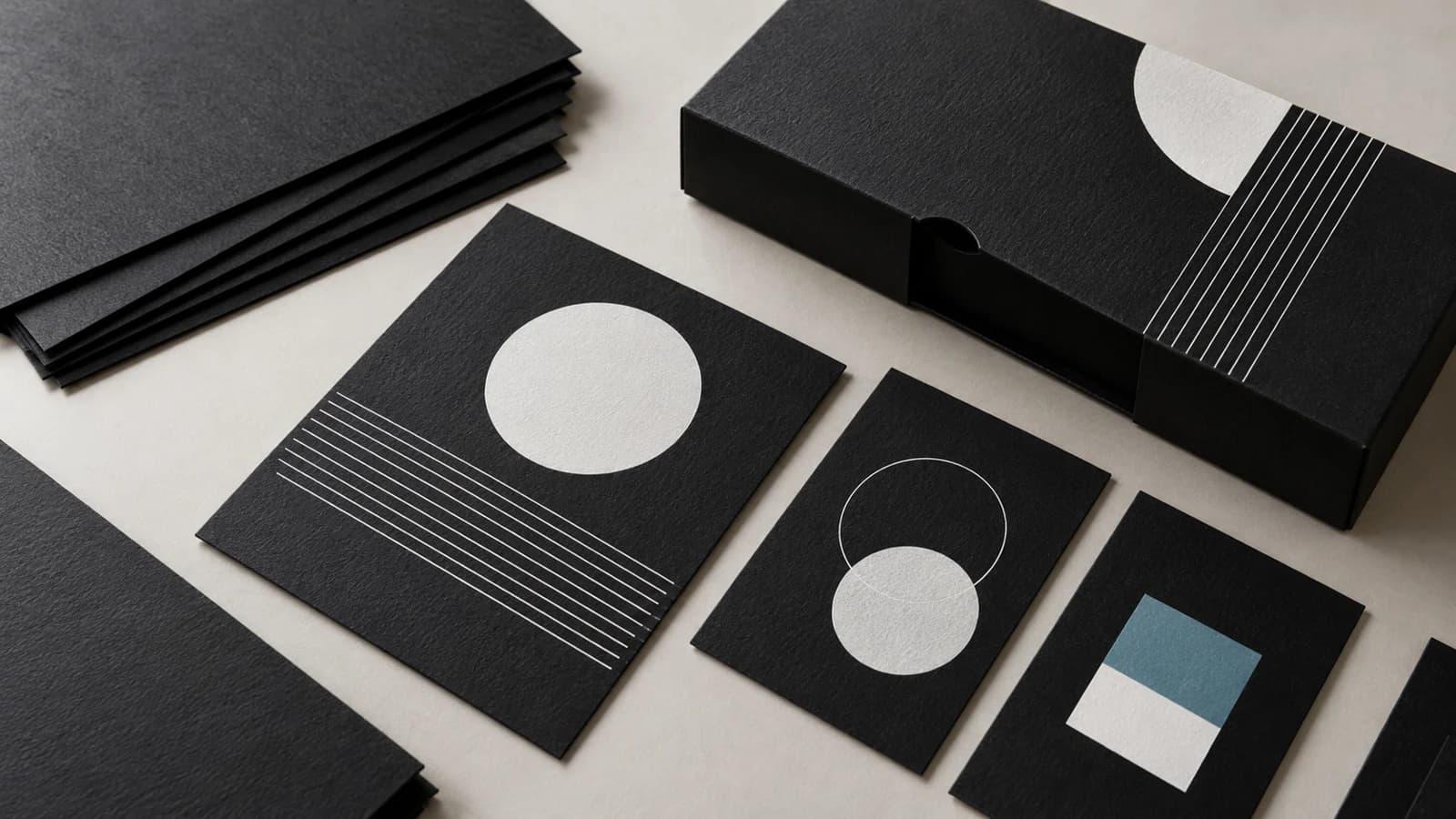
Approve what prints white and what stays black
When choosing black paper for printing, separate three parts of the artwork: white printed elements, colour printed over a white base, and areas deliberately left unprinted. Approve them on the proposed black stock and production press. A screen preview or a proof made on white paper cannot approve that construction.
This guide is for packaging buyers, print shops and brands ordering sleeves, inserts, presentation cards or premium printed components. It addresses artwork and sample approval rather than a universal machine recipe. White ink and white toner are different production systems; your printer must confirm which one is available and appropriate.
Why the white layer belongs in the purchase brief
Ricoh's White Artwork Guide for the Pro C7200x illustrates selective white underneath colour on black or coloured paper. It is a press-specific example, not evidence that every black grade will work on every digital press.
For the buyer, the useful consequence is simple: two quotations can describe the same black paper and still include different printed constructions. One may cover white lettering only; another may include a white base under colour. Ask the printer to identify what is included before comparing prices.
Begin with the Black Paper and Black Card range. Confirm the proposed grade, finish, GSM, caliper, sheet size and printing face separately. Matching a colour name does not establish that two substrates are interchangeable.
Make a three-zone artwork map
Xerox's C8000W Document Design Tips, version 1.0 dated January 2020, distinguishes areas intended to print white from areas intended to reveal the coloured media. Its settings are specific to that system. Use your printer's instructions for file preparation.
Our procurement recommendation is to add an annotated map to the artwork approval:
| Artwork zone | What the buyer should specify | What to inspect on the sample |
|---|---|---|
| White text or logo | Intended white appearance and the approved reference | Legibility, edges and consistency |
| Colour with a white base | Where the base is present and the target colour reference | Colour appearance and white edges around the image |
| Unprinted black area | Areas that must retain the original paper surface | Accidental white coverage or unwanted marks |
Do not assign a generic white coverage percentage or number of passes in the material order. Have the production printer propose the process, then agree the result and commercial scope. A pass count from another press model is not a buying specification.
Request a proof that answers the difficult questions
Include the smallest text, fine lines, a representative white solid, a colour element and a deliberate unprinted area in the trial. Use actual artwork where possible. A simple decorative swatch may hide the detail that matters on a finished sleeve or card.
Review the result under agreed viewing conditions with a physical approved reference. Record whether the evaluation covers one side or both sides. If the item will be folded, die-cut or handled repeatedly, ask for a finished sample using the intended converting sequence. Agree how rubbing, marking or other handling concerns will be assessed rather than inventing a universal acceptance threshold.
Keep material approval and print approval identifiable. A blank sheet confirms a different set of observations from a printed, finished component. For broader planning, see our packaging and printing applications; the sample should represent the application you are actually buying.
A practical RFQ checklist
Send the supplier and converter one coordinated brief:
- Material reference, colour, surface, dimensions and quantity, including the nominated grade when known.
- Press model and ink or toner process, supplied by the production printer.
- Marked artwork showing white elements, white bases and unprinted areas.
- Required finishing and the order of printing, cutting, folding or assembly.
- Approved physical reference, responsible approver and trial scope.
- Destination, packing needs and any changes that require a new sample.
If a repeat order changes paper grade, surface finish, press or artwork, ask which approvals must be repeated. A signed sample should identify the material and production route; it should not become an unlimited promise covering future substitutions.
Discuss the material before approving the order
Contact YOUNGSUN with the intended component, black paper reference, GSM or caliper, sheet format, quantity and destination. Share the production printer's compatibility requirements so that the proposed material and trial can be reviewed together. Availability and suitability must be confirmed for the specific order; this guide does not claim a universal digital-print certification.
Buyer questions
Will leaving an area blank make it white on black paper?
An unprinted area shows the paper itself. If the design needs white, agree a supported white ink or toner workflow and approve that area on the actual black stock.
Does white toner guarantee a match to a white-paper proof?
No. Approve the target colour and white appearance on the proposed stock and press. A proof on white paper is not approval of the black-paper construction.
Can any black cardstock be used on a digital press?
Do not assume compatibility from colour or GSM alone. Confirm the exact grade, sheet format, caliper and press requirements, then run a representative trial.